Visibility
Also known as "VIS", visibility is a vital part of map optimization as it determines what should and shouldn't be rendered.
Precomputed visibility costs map compile time. For rapid iteration and development, you can turn off VIS compilation by setting the "Precomputed Visibility" property in "Map Properties" to "Disabled." Be mindful, some things like soundscapes require visibility to function.
In Source 2, the resource compiler uses an inside/outside algorithm to calculate VIS and determine which areas are "inside" the map. This means that anything inside will render, and anything outside won't.
Leaks
Although Source 2 doesn't leak in the same way that Source 1 did, VIS can still leak through "holes" in your map. This means that the VIS calculation will spill out into the void, creating unnecessary VIS clusters and LOS. Typically, this means forgetting to place a skybox material or solid blocklight, leaving a gap in world geometry.
VIS Contributors
By default, all meshes are VIS contributors, which can be disabled by selecting "Exclude from VIS". Static props are the inverse, and you can set them as VIS contributors by marking the "Vis Occluder" property.
Tool textures that contribute to VIS
Some tools materials contribute to your map's VIS. These include:
- visblocker
- toolsskybox
- toolsnodraw (all variations)
- toolssolidblocklight
Debugging VIS
There are a few console commands that can help debug the compiled VIS in your map.
vis_enable0/1 | Toggle the visibility system.sc_no_vis0/1 | Similar behavior to vis_enable; toggles VISsc_aggregate_gpu_culling0/1 | In Counter-Strike 2, toggles GPU culling
vis_debug_show| This will show the compiled VIS clusters in your map; it's an in-game representation of "Load Compiled Vis Data" in Hammervis_debug_lock| Locks the VIS to the current state when you sent the command.sc_no_visandsc_aggregate_gpu_cullingcan be seen inCounter-Strike 2's VConsole Convar helper, under the performance section with labels Toggle VIS OFF/ONandToggle GPU Culling
VIS in Hammer
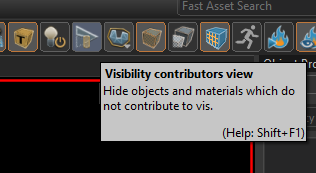
Use the Visibility contributors view to toggle geometry that doesn't contribute to VIS. This view is very helpful for spotting leaks, alongside the "Load Compiled Vis Data" option.
Best practices & Common Mistakes
- As noted before, VIS can "leak". To avoid this, seal all level geometry
- Try not to have any VIS contributors poke out of your map, as this can have similar behavior to leaks.
- Don't place VIS contributors outside of your map. If you want it to be part of your skybox, consider using a 3D Skybox instead.
- Do not use SkyVisBlocker as it's deprecated. Use toolsskybox instead.
- Be careful with Solid Blocklight, as it is a VIS contributor. Any outward-facing Solid Blocklight could create VIS clusters on the outside of your map.
- If developing for a game that uses VIS2, try to keep as many VIS contributors aligned to grid as possible (aligning things to grid is a good practice in general, too). To see the differences between VIS2 and VIS3, see further down.
Helpful VIS entities
visibility_hint
Visibility hint is an entity that lets you control the resolution of the VIS clusters generated within its volume. This can be very beneficial for large open maps that don't have many objects that could block line of sight. Fewer VIS clusters in these areas could allow more to be generated where they're needed more.
info_cull_triangles
info_cull_triangles will remove any triangles that are within its bounds and pass its filters during compile time, which can be especially useful for culling parts of props or geometry that extend outside of level bounds. You may remember that objects poking through your map can cause VIS to misbehave; info_cull_triangles can potentially help by removing the offending triangles extending outside of your map bounds.
VIS2 vs. VIS3
Older versions of Source 2, like  Half-Life: Alyx and
  Steam VR use VIS2, whereas newer versions like Counter-Strike 2 use VIS3.
Notable differences between them are:
Steam VR use VIS2, whereas newer versions like Counter-Strike 2 use VIS3.
Notable differences between them are:
- VIS3 handles VIS contributors that are not aligned to grid much better than VIS2
- VIS3 compiles meshlets, which are meshes split into 128 triangle chunks that get culled on the GPU
- note any further disparity between VIS2 and VIS3
- add more accompanying pictures