SmartProps
SmartProps are an intuitive system in Source 2 used to group objects and attach procedural logic to them, such as randomization, line placement, scattering, and dynamic parameter adjustments. Think of them as smart prefabs with custom variables and interactive viewport handles.
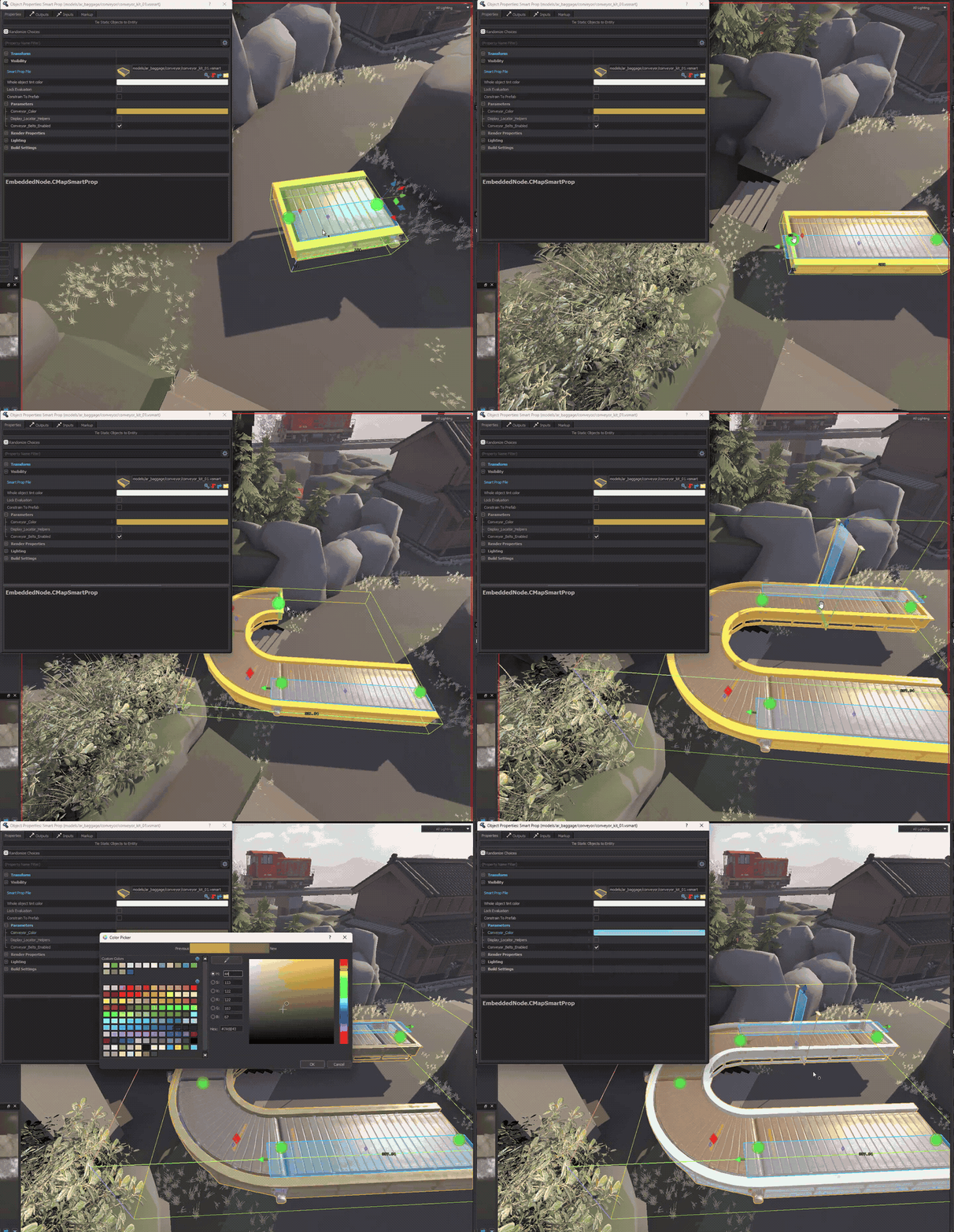
This beginner guide explains the core SmartProp concepts needed to build procedural assets.
The editor screenshots come from  Hammer 5 Tools. Its
SmartProp Editor page
documents the tool itself.
Hammer 5 Tools. Its
SmartProp Editor page
documents the tool itself.
Using SmartProps in Hammer
Activate the Selection Tool (Shift + S or Q) in the Hammer viewport to display and interact with SmartProp control widgets.
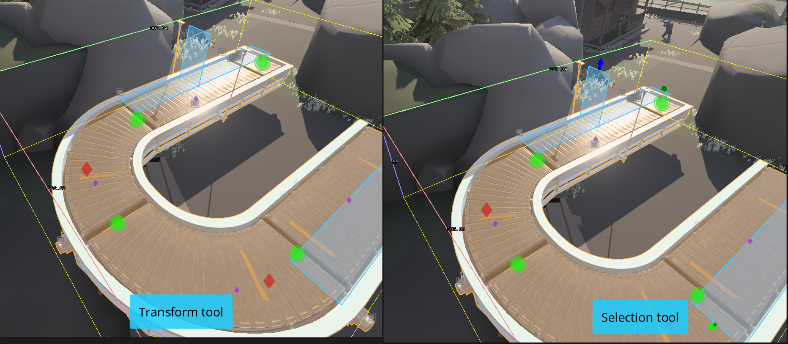
Interactive viewport controls
SmartProps can define visual control widgets for direct manipulation inside the 3D viewport:
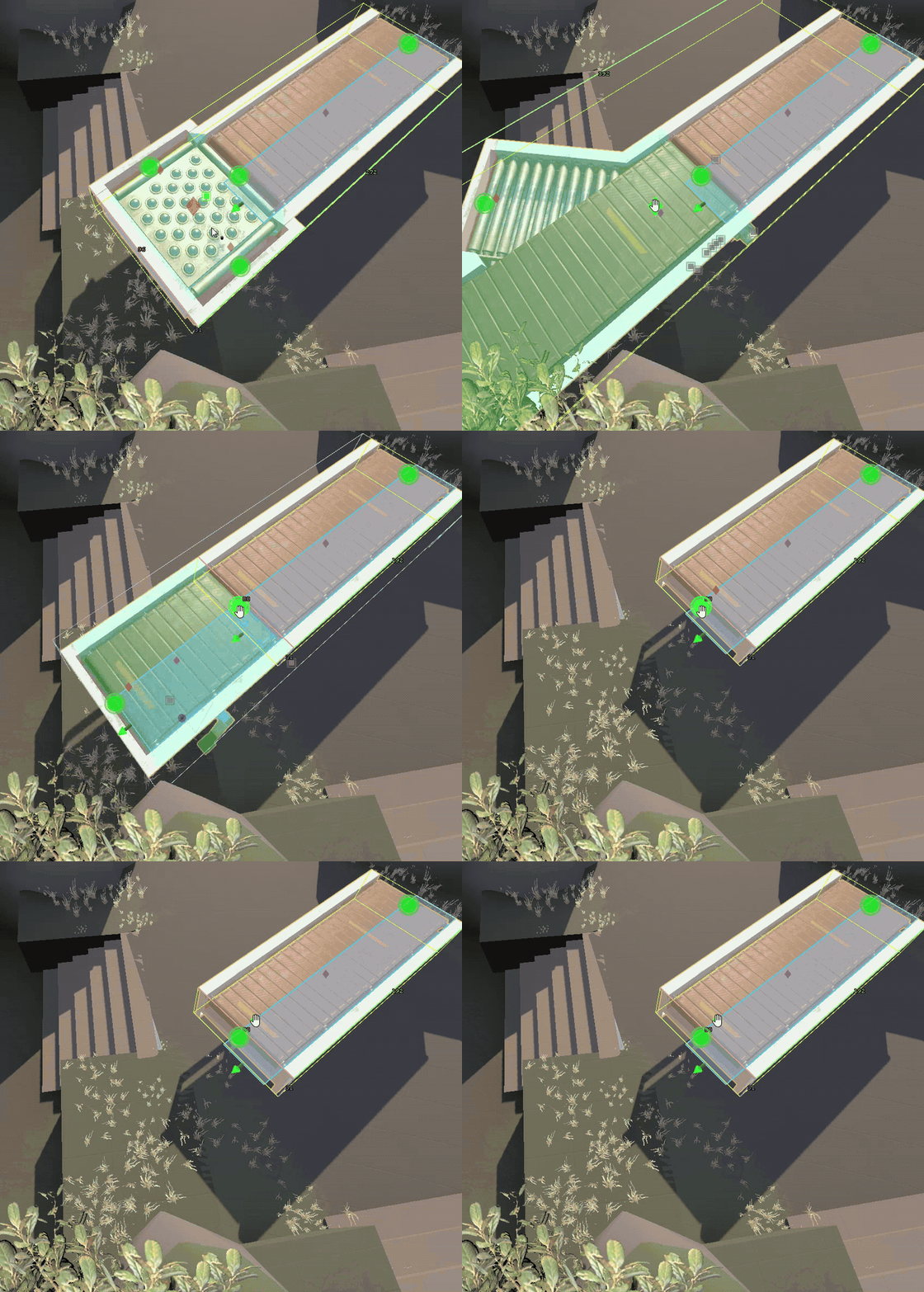
PickOne handles
Scroll the mouse wheel over circle, rectangle, or rhombus control handles to cycle through available child objects or variants.
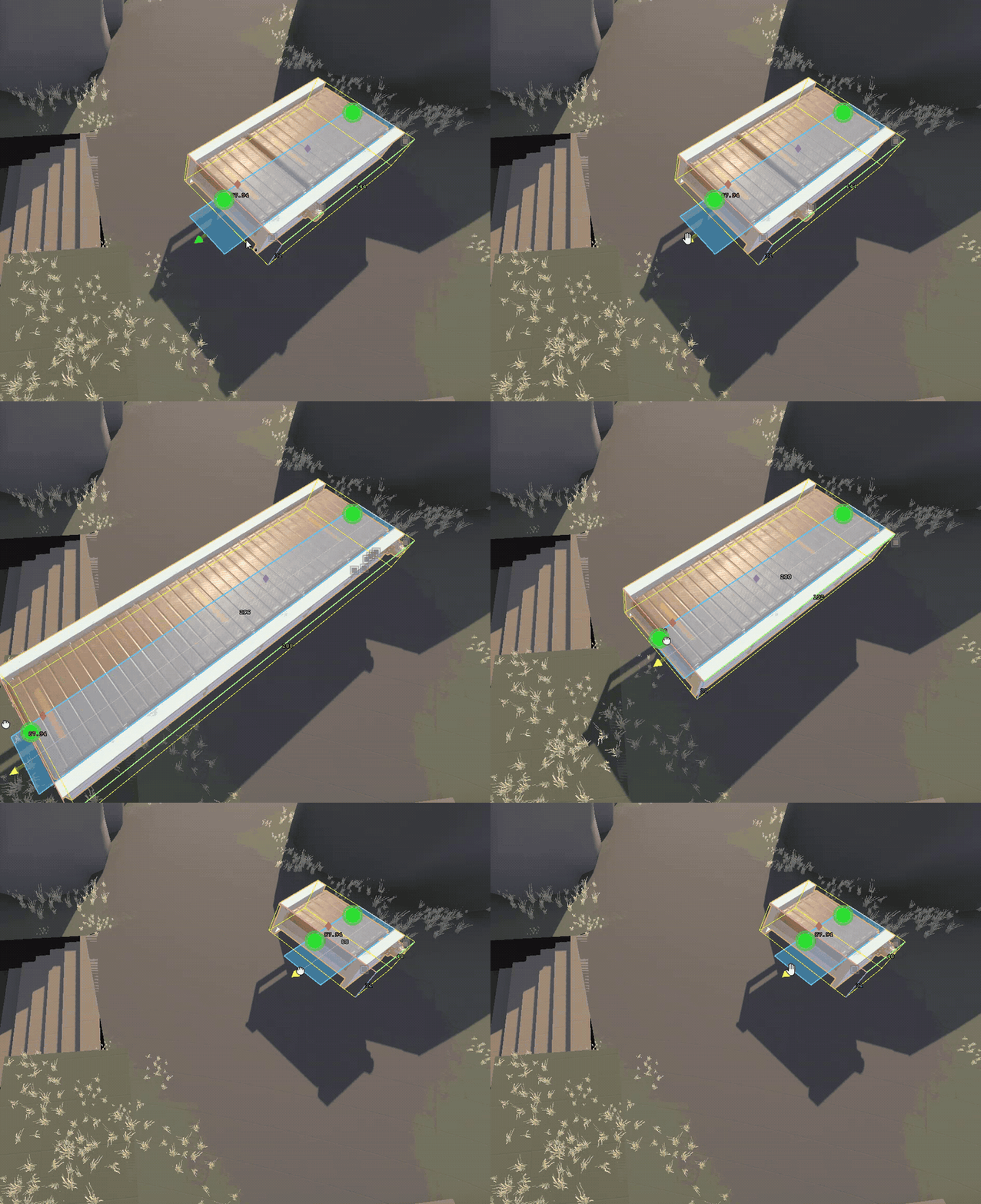
Sizers (CreateSizer modifier)
Drag arrow handles with the Left Mouse Button to interactively adjust sizer boundaries, bounding boxes, or lengths.
Locators (CreateLocator modifier)
Locator gizmos support translation, rotation, and scaling directly in the viewport. Each transformation mode can be enabled, constrained, or disabled per SmartProp.
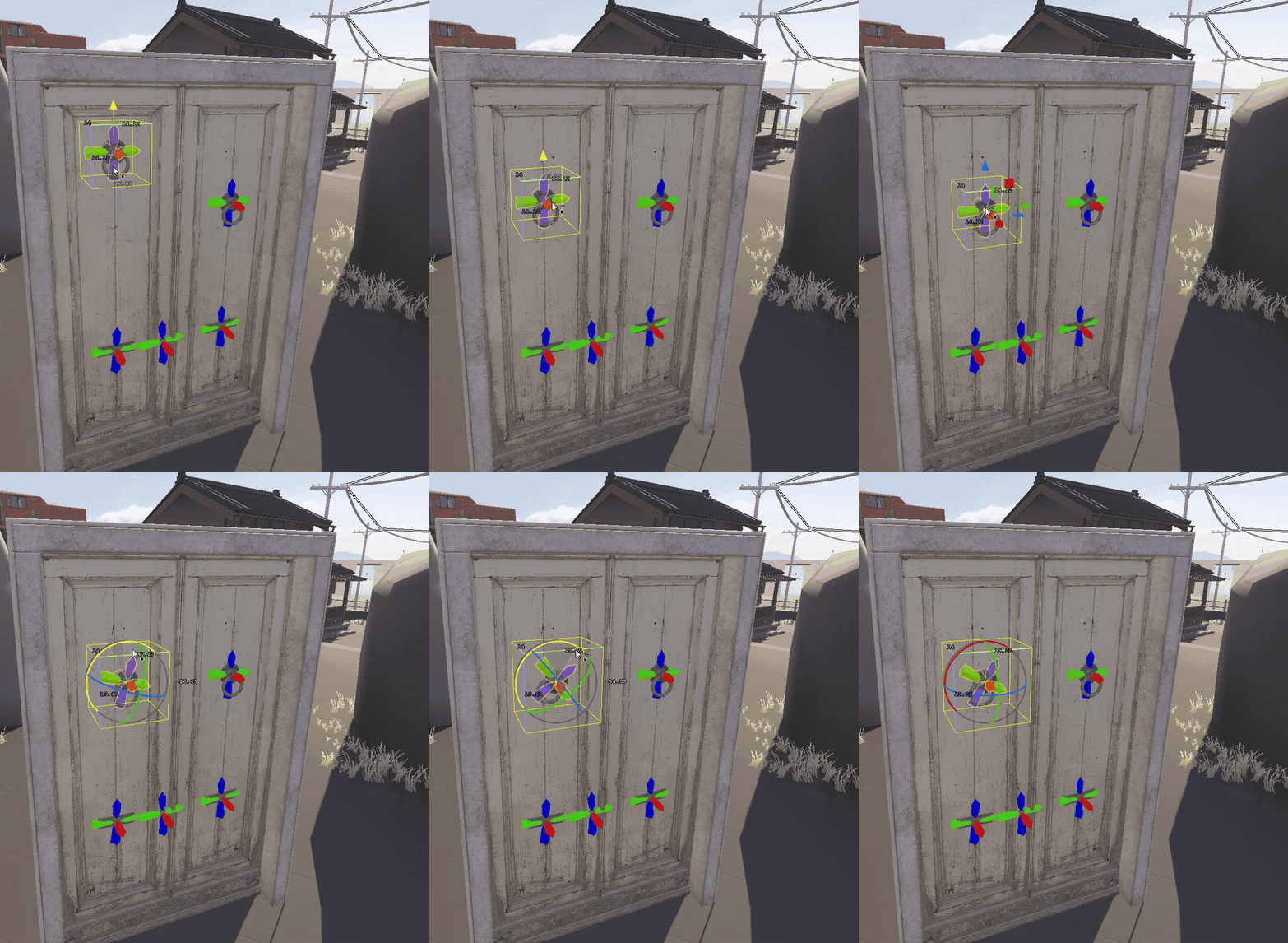
Rotators (CreateRotator modifier)
Rotation rings allow interactive rotation with degree snapping support.
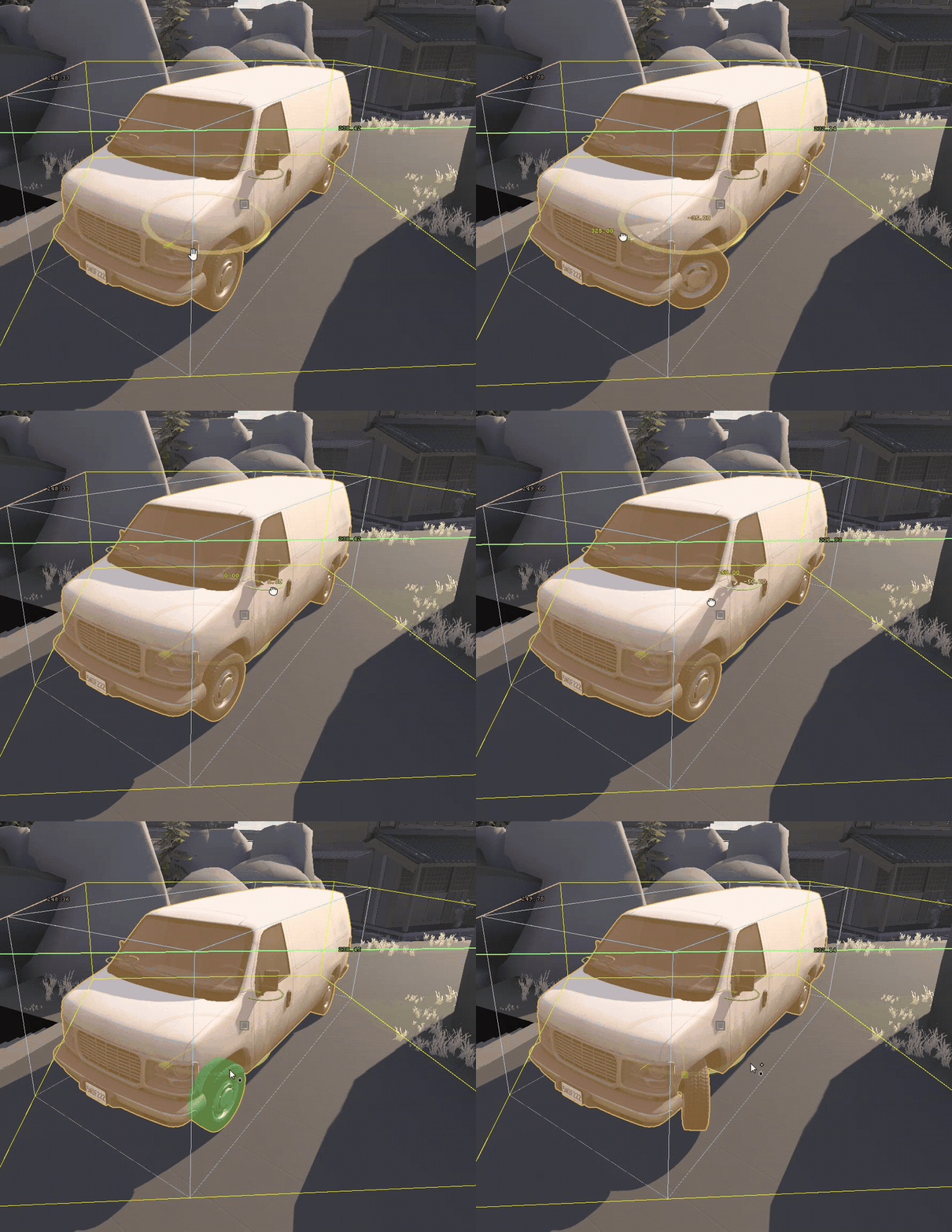
Resetting controls
Press Alt + M while hovering over a visible viewport control to reset it to its default value.
Outliner and object properties
All active SmartProp controls are listed in the Hammer Outliner under the selected entity:

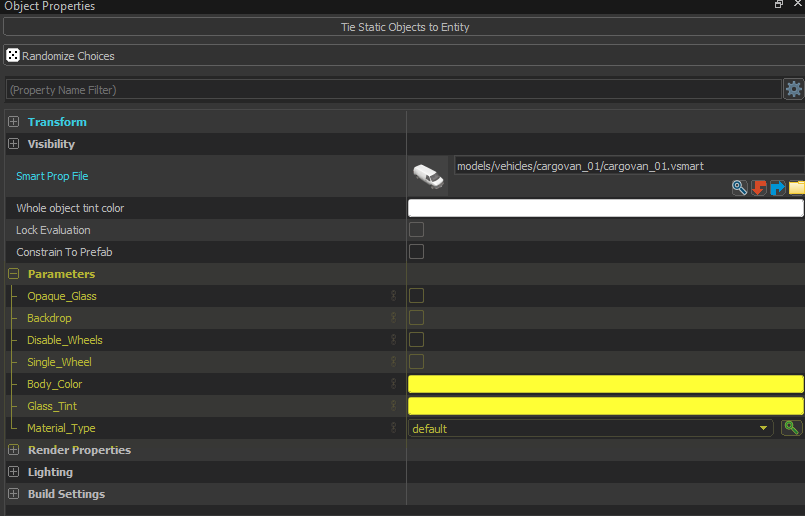
All exposed SmartProp parameters and variables appear in the Object Properties panel:
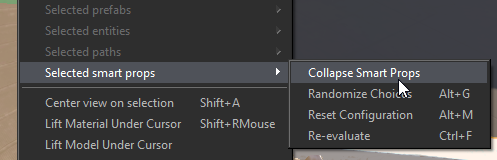
Collapsing SmartProps into static entities
To bake a procedural SmartProp into standard static entities, right-click the prop in the viewport and select Selected smart props > Collapse Smart Props.
File structure and architecture
A SmartProp is constructed from Elements, Modifiers, Selection Criteria, Variables, and Choices.
| Component | Definition | Examples |
|---|---|---|
| Elements | Core objects in the tree hierarchy. Elements can contain child elements and pass down position and rotation transforms from parents. | Model, Group, PickOne, SmartProp |
| Modifiers | Attached to elements to modify their properties (such as position, rotation, scale, or tint). Modifiers include Operators (transform state) and Filters (conditional visibility). | Translate, Rotate, Scale, Filter: Expression |
| Selection Criteria | Attached to elements to determine selection weight or matching conditions inside container elements like PickOne or PlaceOnPath. | LinearLength, ChoiceWeight |
| Variables | Dynamic parameters exposed to Hammer users in Object Properties (e.g., float sliders, checkboxes, color pickers). | Float, Bool, String, Vector2D, Color |
| Choices | Named value presets and dropdown menus for variables. | List of preset variants |
SmartProp files describe procedural rules and relationships for models (.vmdl). These definitions are stored in .vsmart files formatted in KeyValues3 (KV3).
The SmartProp Editor
page lists every CSmartPropElement_* class, operator, filter, and expression helper.
Experimental properties
Community Hammer builds do not expose or run every experimental SmartProp schema property.
The  S2V Schema Explorer provides Source 2 SmartProp schema references.
Experimental and unverified schema properties are hidden by default in
Hammer 5 Tools. Its
settings control whether they are shown.
Report working experimental properties on Discord so they can be marked as verified.
Hierarchy and transforms
A SmartProp is edited as a tree of elements. Add, reorder, nest, and rename them to build the graph.
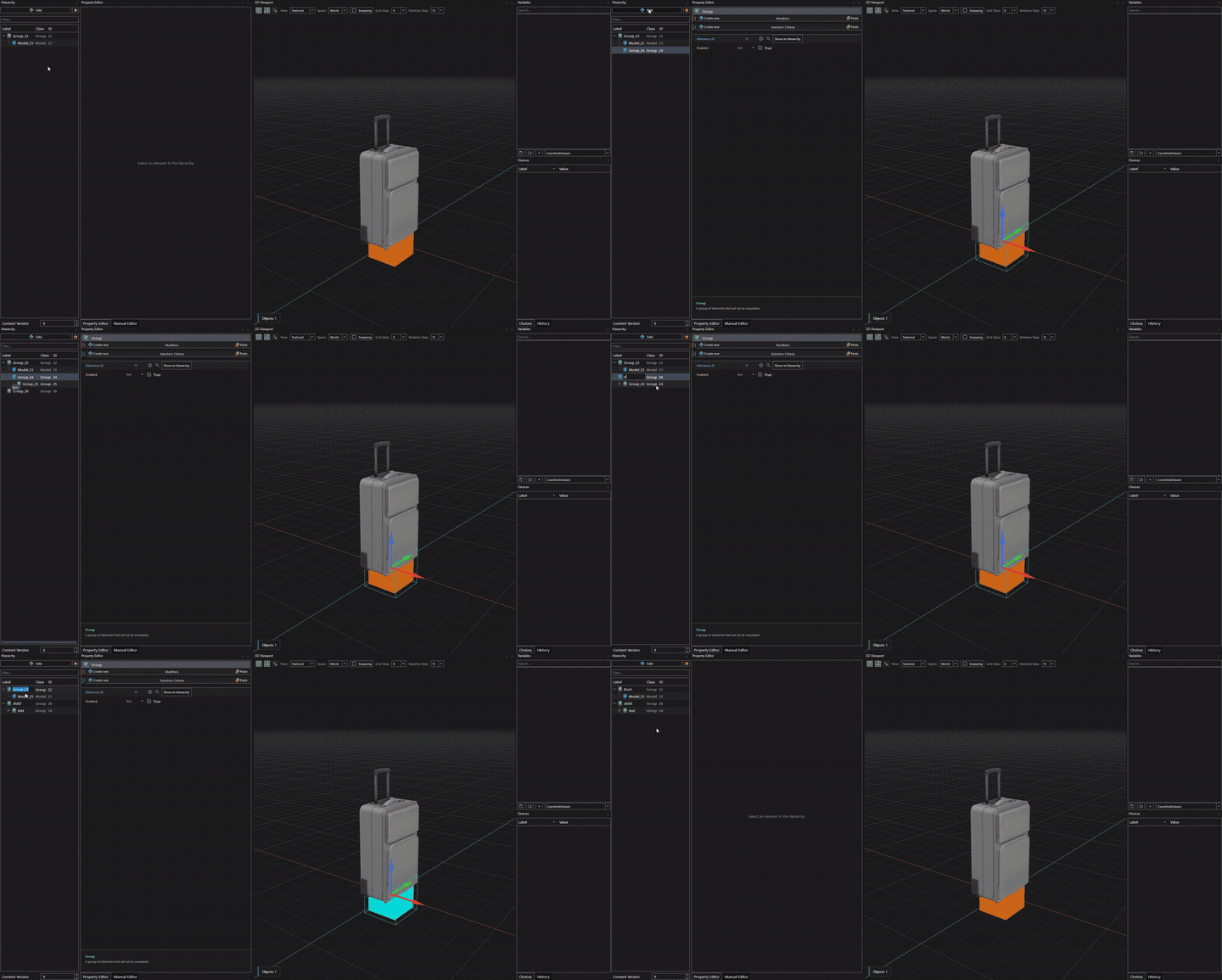
Transform inheritance
Child elements automatically inherit the local position and rotation of their parent elements.
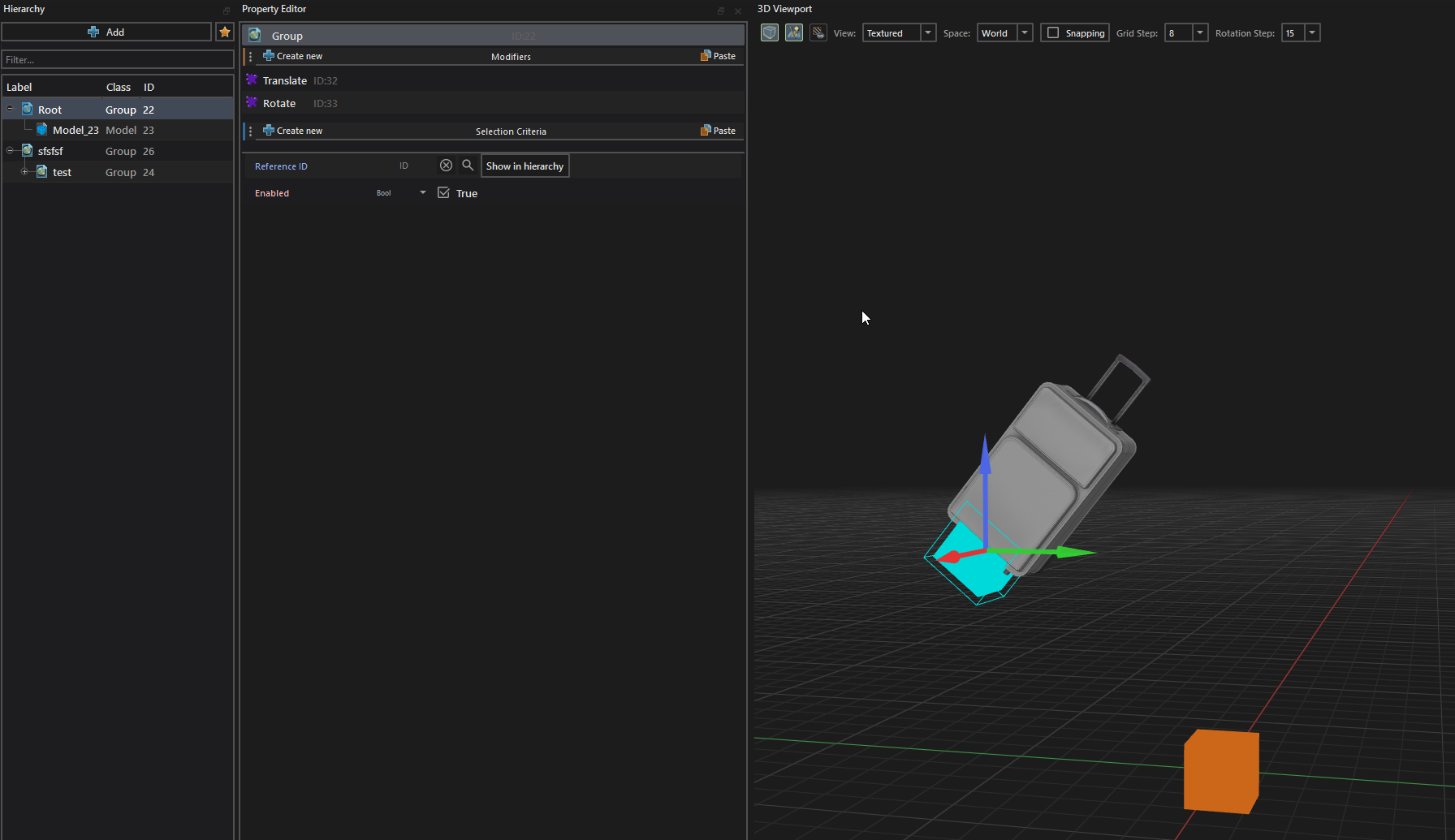
Properties and expressions
Modifiers are divided into two main categories:
- Operators: Apply transformations to element properties (e.g., translation, rotation, scale, tint).
- Filters: Conditionally hide the current element and all of its children based on criteria.
Each property field supports 4 distinct input modes:
- Default: Uses the class default value.
- Value: Direct constant value (numeric, string, vector, etc.).
- Variable: Binds the property to a defined variable.
- Expression: Evaluates a formula dynamically at build/evaluation time.
Expression fields support standard arithmetic operators (+, -, *, /), math functions (trigonometry, min, max, abs, floor, ceil), and ternary conditional operators (condition ? true_val : false_val).
String property fields do not support expressions.
The SmartProp Editor page covers the full operator and filter lists, the expression helper functions, and the editor shortcuts that manage modifiers.
Variables and choices
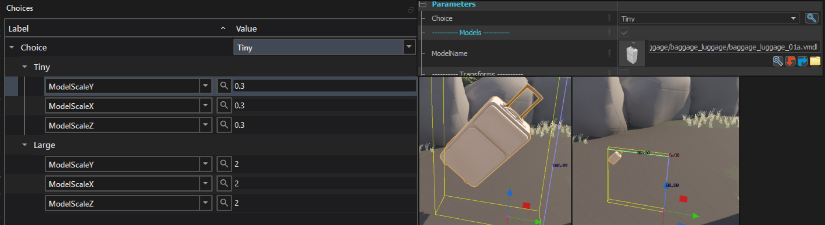
Variables are the parameters a SmartProp exposes to the mapper. Mark a variable as shown in the editor and it appears in the entity's Object Properties panel in Hammer. Each variable supports a default value, minimum and maximum values, and a display category.
Choices provide convenient value presets for variables. Supported variable types include bool, string, float, and int.
Example guides
- Dust 2 crate PickOne SmartProp: a crate selector with a slider, randomization toggles, and a viewport handle.
- Modular pipes with FitOnLine: a modular pipe kit using
FitOnLine,BendDeformer, sizers, and nested SmartProps.