Source 2 Entities
Cinematic Cameras
These new entities can be placed in the map to give cinematic views during various phases of a game: team_select, counterterrorist_team_intro, terrorist_team_intro, and end_of_match.
It is recommended to use team_select (replaces point_viewcontrol) in the map. If team_select is not used, the team selection camera centers to the world origin, which depending on the map may be in the void.
end_of_match shows a 'MVP' screen similar to panorama CS:GO end of match screen. This is not mandatory as some servers may choose to skip this screen and move to the next map early.
Do not use any team intros cameras. These may interfere with maps that play music early in the round, and are unlikely to work properly in Zombie Escape servers with 64 players.
Cubemap Fog
As a complimentary entity to env_gradient_fog, env_cubemap_fog creates fog within the skybox, which provides a nice blend between the world and skybox. The parameters are similar to that of an env_gradient_fog, except that this entity calculates color directly from the skybox.
env_cubemap_fog does not give fog to the skybox texture itself.
Lightmapres Volume
The player light map resolution texture, tools/playerlightmapres, is a mesh entity texture that increases lightmap resolution to faces within and around the lightmapres volume. It provides a nice way to have sharper light resolutions within playable areas where they do matter.
Areas further away from lightmapres volumes will drastically have lower lightmap resolution. Either create volumes for all playable areas or use none at all.
Fog on Players
If the map has heavy fog, visibility of players in fog can be changed with env_player_visibility. Below the effectiveness of the entity is shown in a fog heavy map.
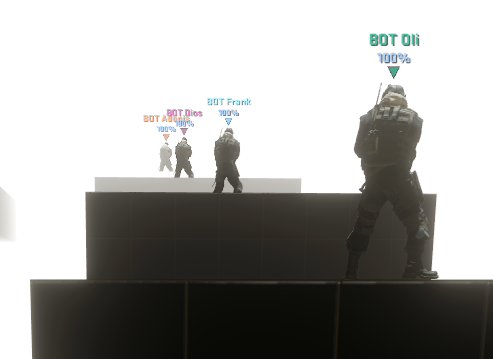
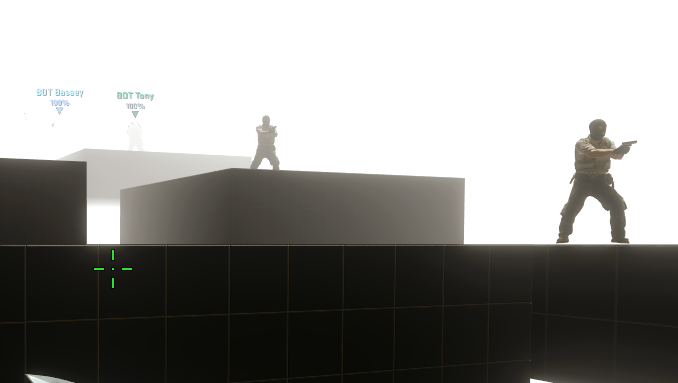
Left: Default player visibility settings in a fog heavy map. Right: Adjusted player visibility settings with bots at the same locations.
The recommended values for each settings are:
- Player Visibility Postprocessing Strength: 0
- Player Fog Distance Multiplier: 1
- Player Fog Max Density Multiplier: 1