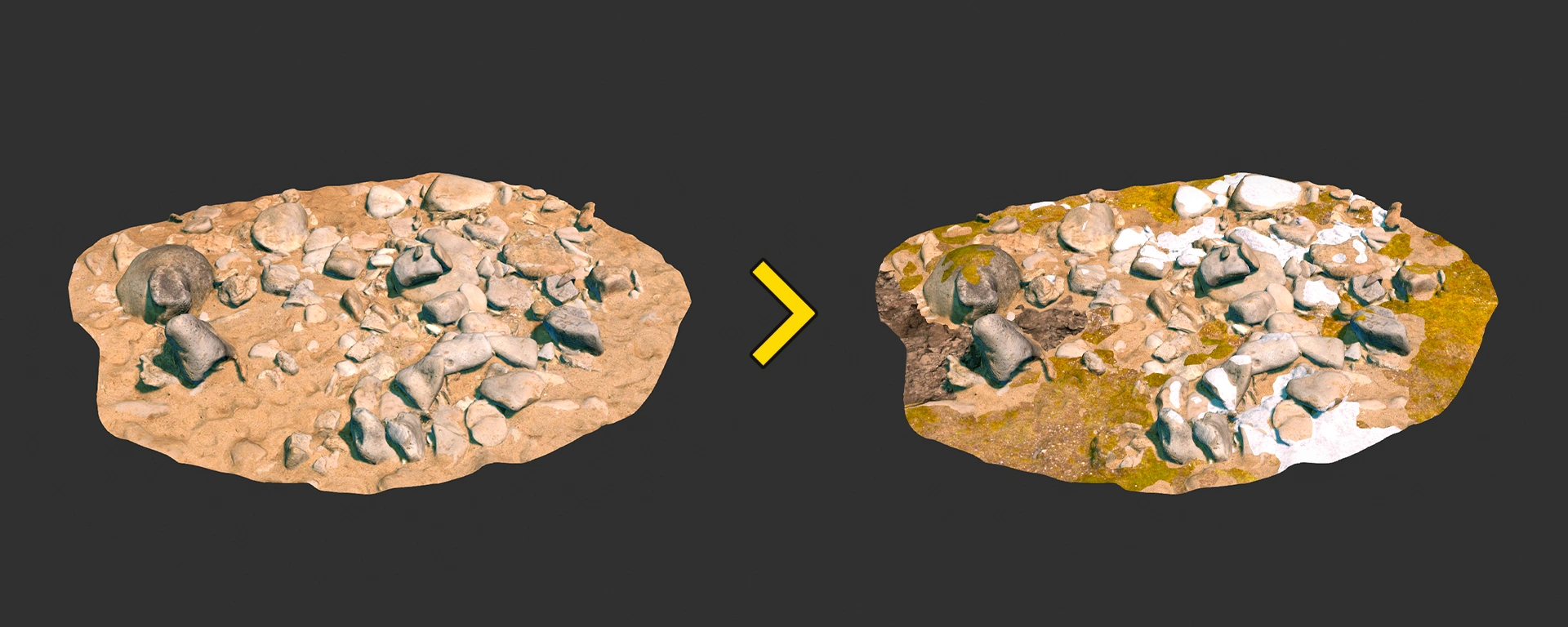
How to setup material blending for Source 2 models in Blender
A brief guide on configuring vertex-based material blending for Source 2 models using Blender and ModelDoc.
- Counter-Strike 2
- Half-Life: Alyx
- Dota 2
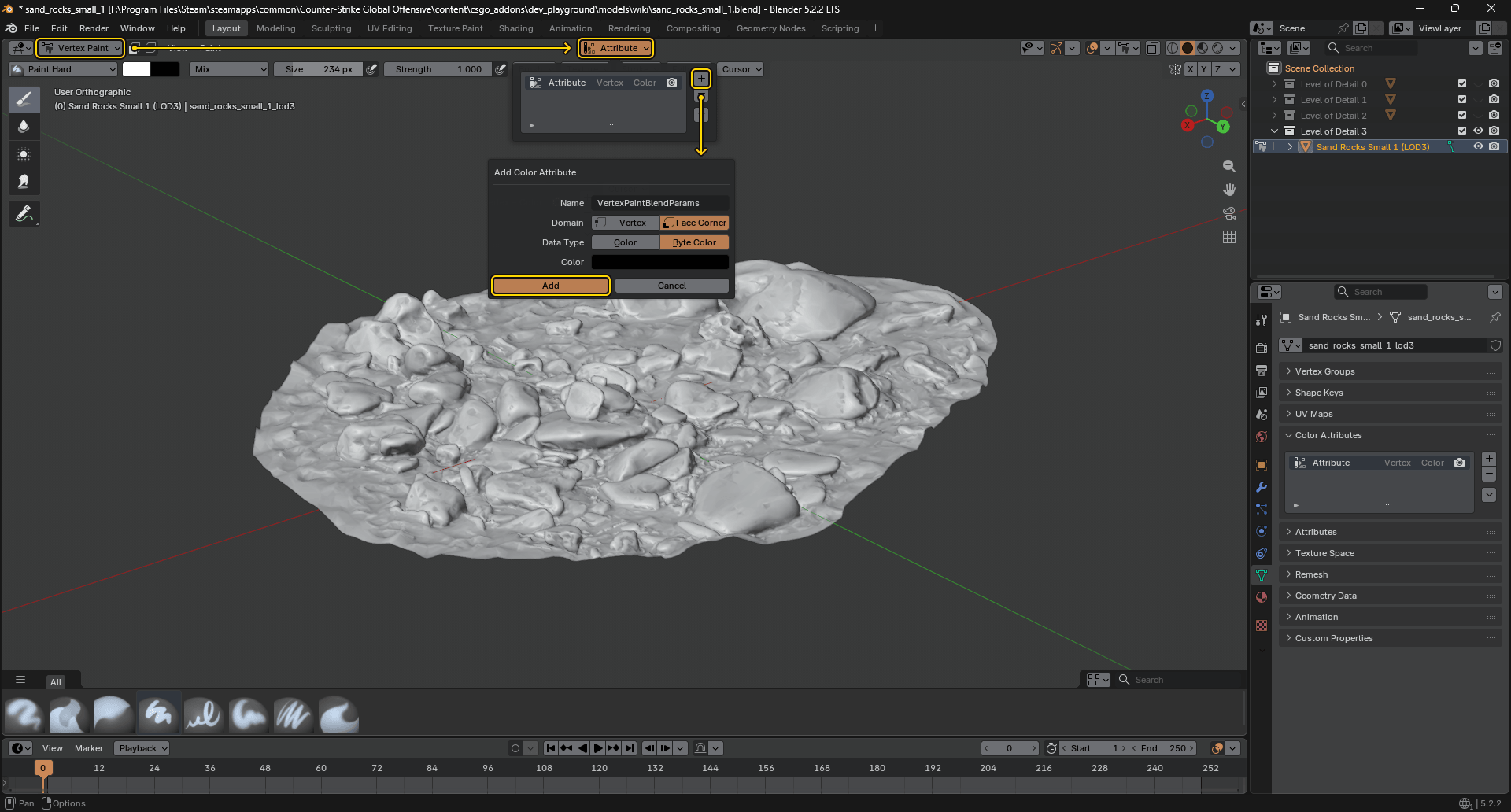
Step 1. Creating a Color Attribute
- In Blender, switch to Vertex Paint mode.
- Click the Attribute dropdown in the top header.
- Click the plus button on the right.
- Set the following parameters in the pop-up window:
- Name:
VertexPaintBlendParams - Domain: Face Corner
- Data Type: Byte Color
- Name:
- Click Add.
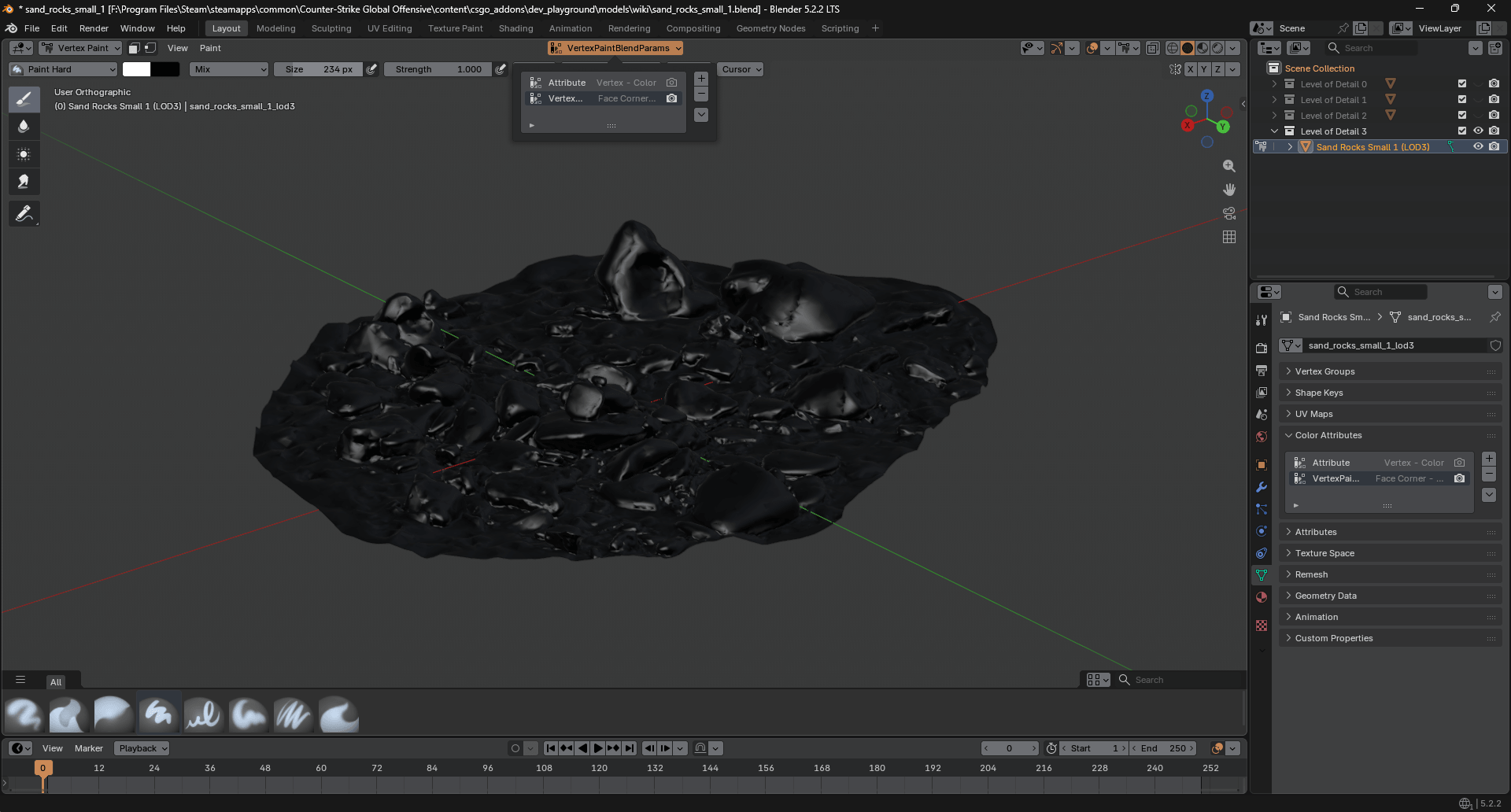
Step 2. Vertex Painting
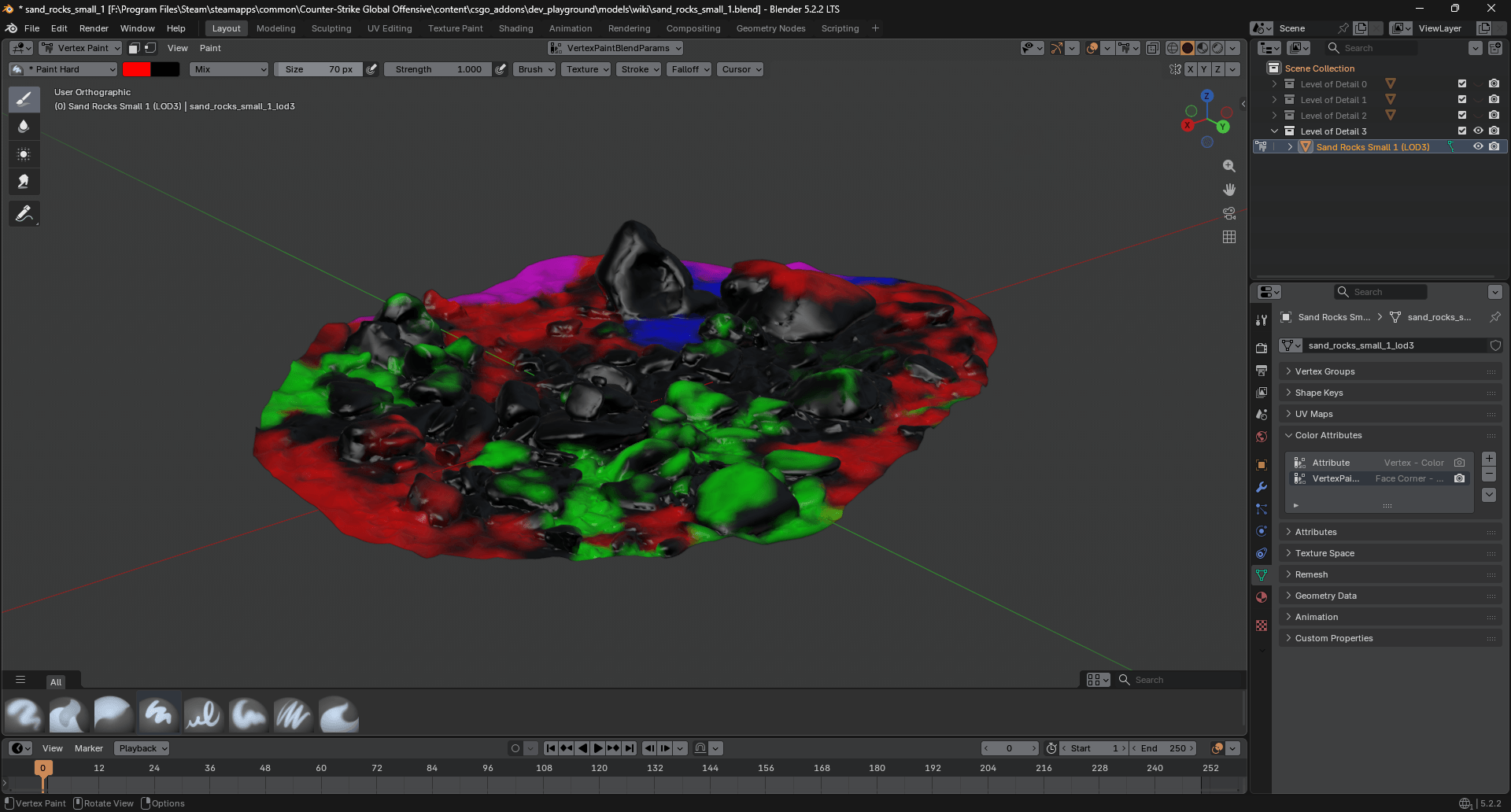
In Blender, switch to Vertex Paint mode and paint your model according to the  Counter-Strike 2 shader requirements below.
Csgo Environment Blend
| Vertex Сolor | HEX | Layer in shader | Notes |
|---|---|---|---|
| Black | #000000 | Layer 1 | |
| Red | #FF0000 | Layer 2 | |
| Green | #00FF00 | Layer 3 | |
| Blue | #0000FF | Wetness | Apply over the black color (Layer 1) |
| Pink | #FF00FF | Wetness | Apply over the red color (Layer 2) |
| Cyan | #00FFFF | Wetness | Apply over the green color (Layer 3) |
Csgo Simple 2way Blend
| Vertex Сolor | HEX | Layer in shader |
|---|---|---|
| Black | #000000 | Layer 1 |
| Red | #FF0000 | Layer 2 |
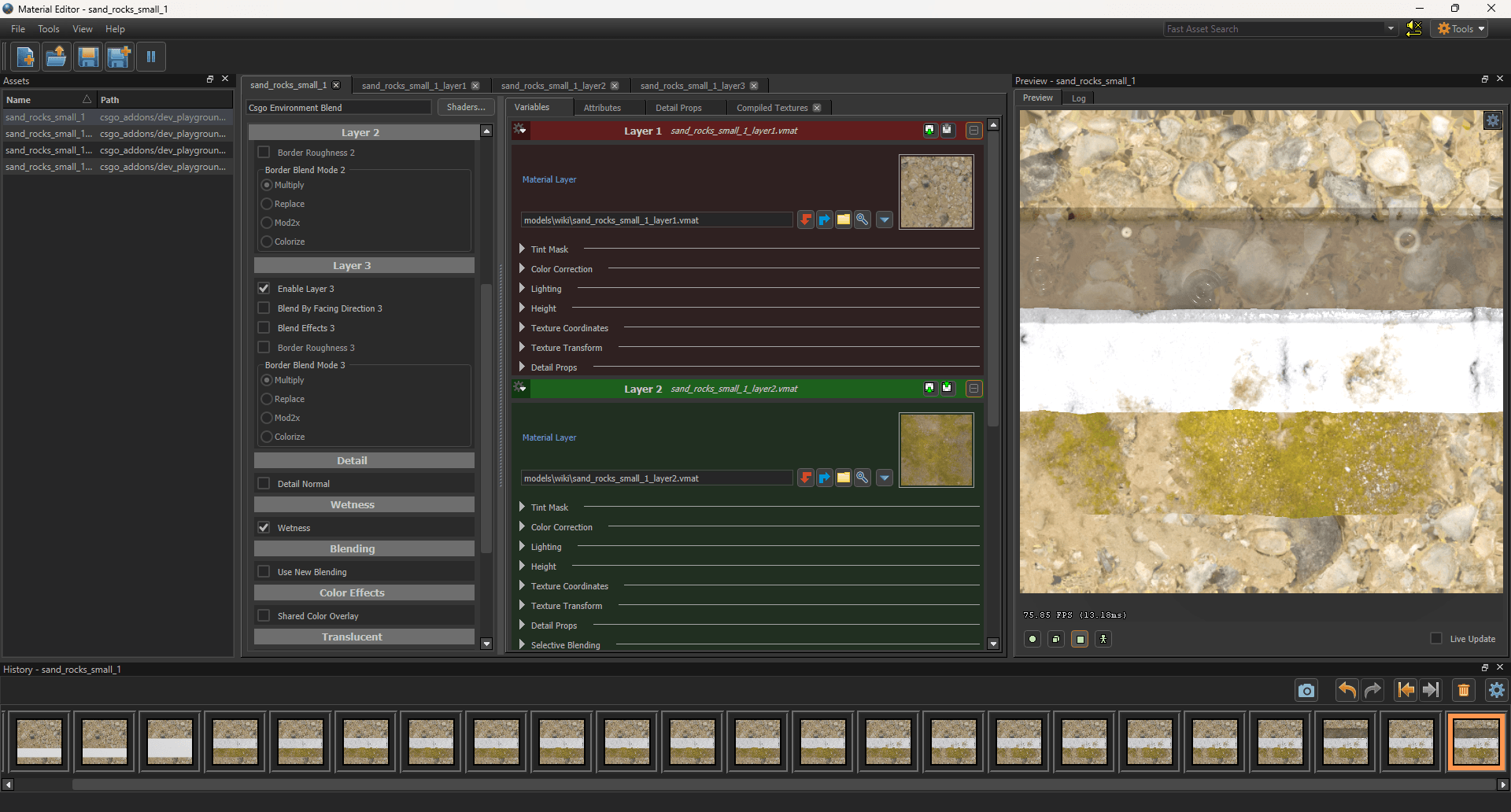
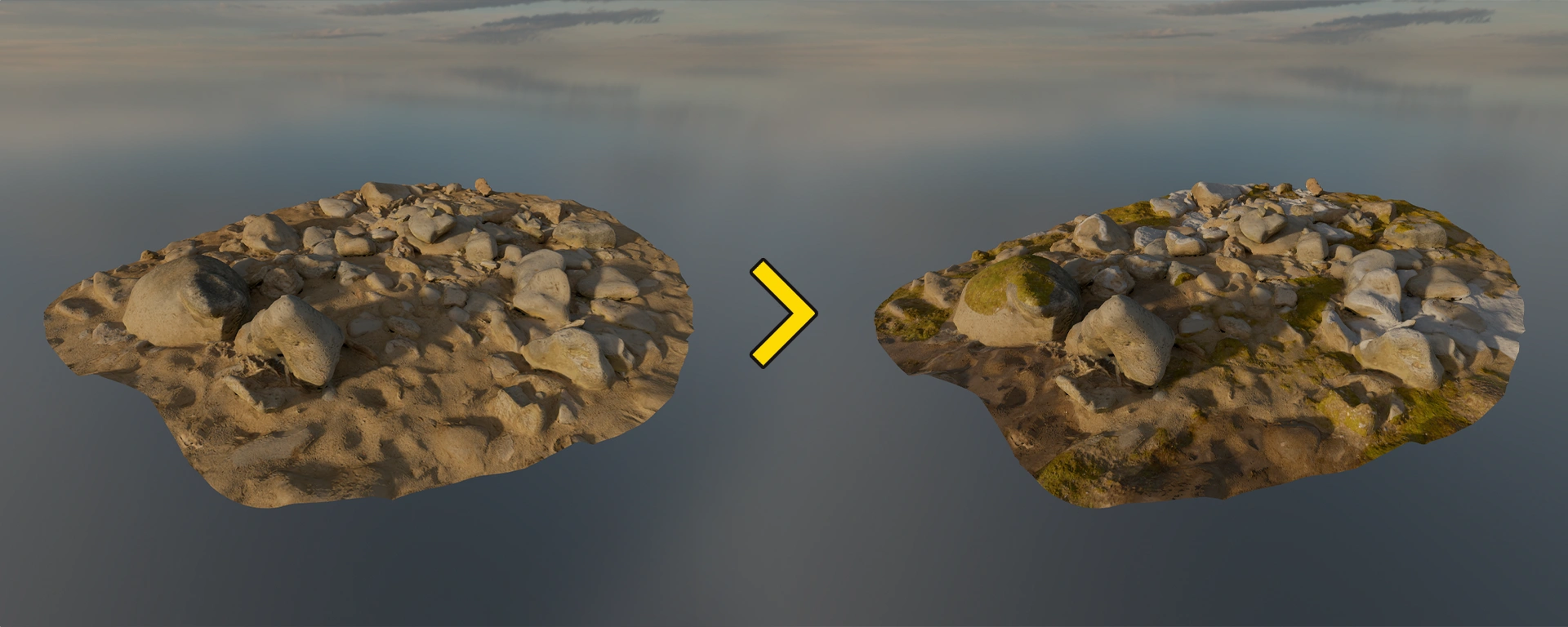
Step 3. Result
Step 1. Creating a Color Attribute
- In Blender, switch to Vertex Paint mode.
- Click the Attribute dropdown in the top header.
- Click the plus button on the right.
- Set the following parameters in the pop-up window:
- Name:
VertexPaintBlendParams - Domain: Face Corner
- Data Type: Byte Color
infoAlthough the
 Half-Life: Alyx model compiler ignores custom attribute names, you can specify this specific name to ensure compatibility with other Source 2 games.
 - Name:
- Click Add.
Step 2. Vertex Painting
In Blender, switch to Vertex Paint mode and paint your model according to the Half-Life: Alyx shader requirements below.
Vr Simple 2way Blend
| Vertex Сolor | HEX | Layer in shader |
|---|---|---|
| Black | #000000 | Layer 1 |
| Red | #FF0000 | Layer 2 |
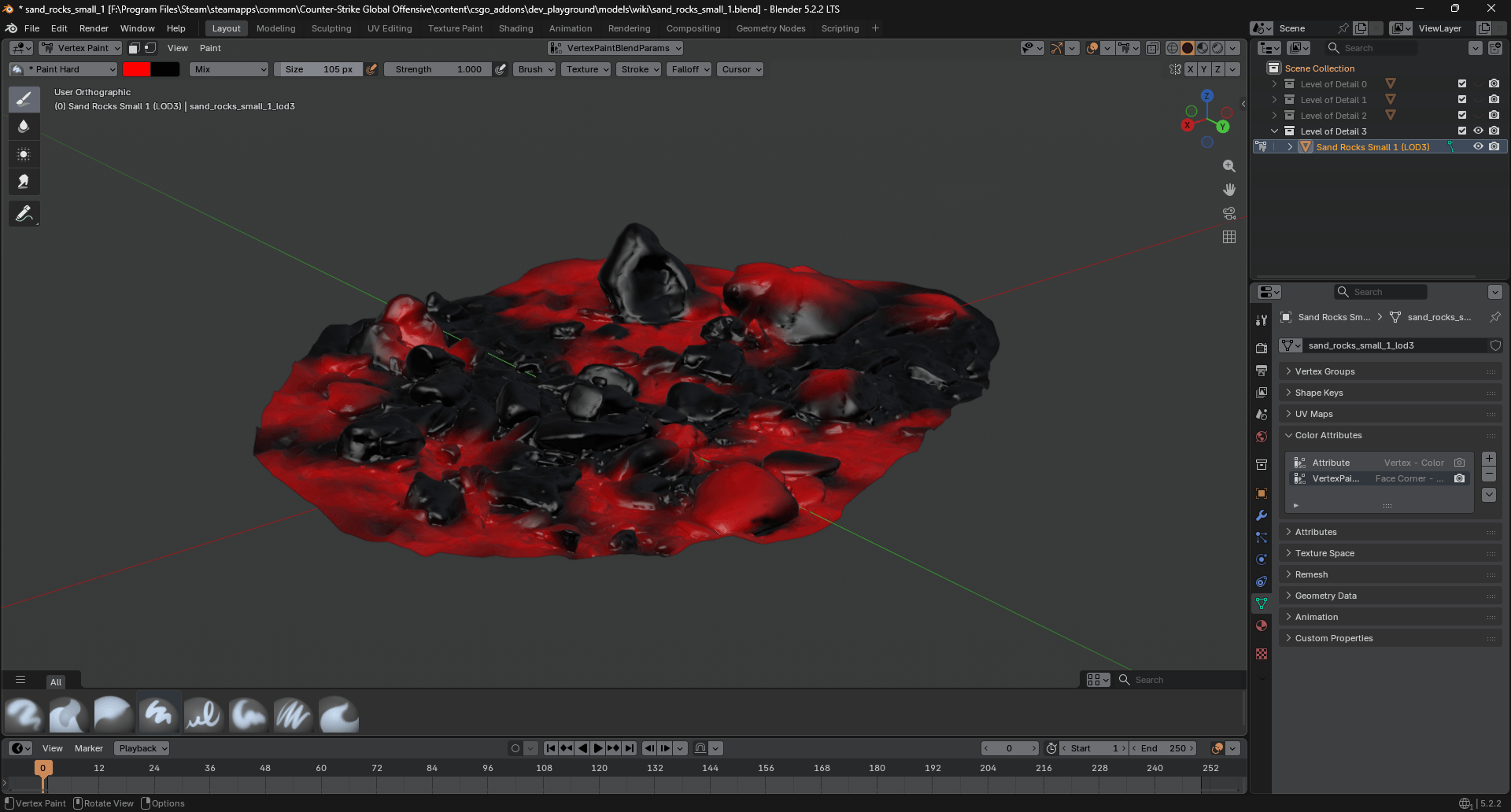
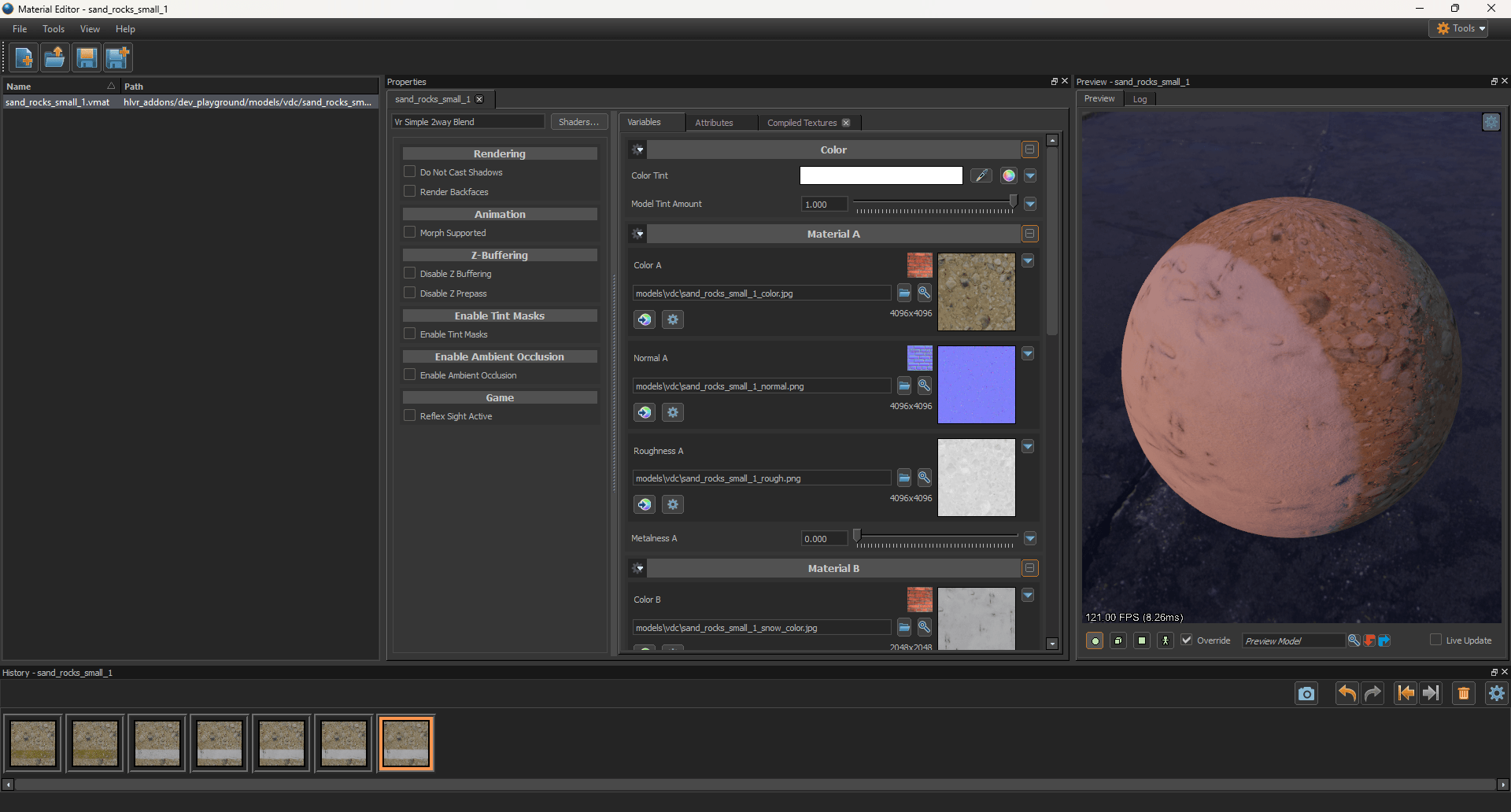
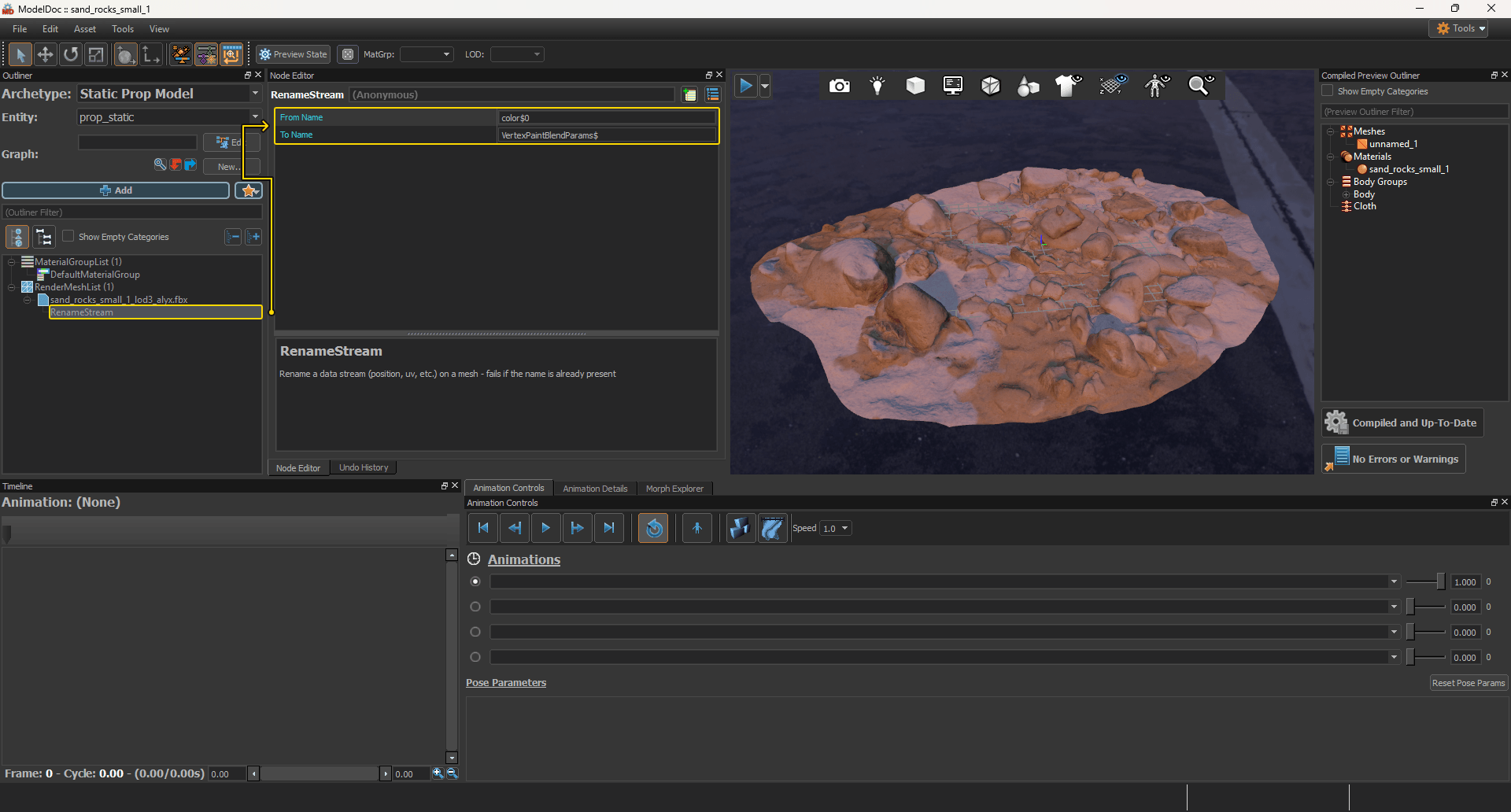
Step 3. Renaming a data stream
Since the Half-Life: Alyx model compiler ignores custom FBX attribute names, you must rename the data stream for correct blending.
- Open your model via ModelDoc.
- Right-click on the render mesh.
- Find and select Add RenameStream.
- Click on RenameStream under the desired mesh and fill in the nodes as shown below:
- From Name:
color$0 - To Name:
VertexPaintBlendParams$
infoThe number corresponds to the color index order in Blender's color attributes list. By default, this is
color$0. However, if your object stores other attributes, this data stream will shift down the list, which means you'll need to entercolor$1or a higher index to select the correct index. - From Name:
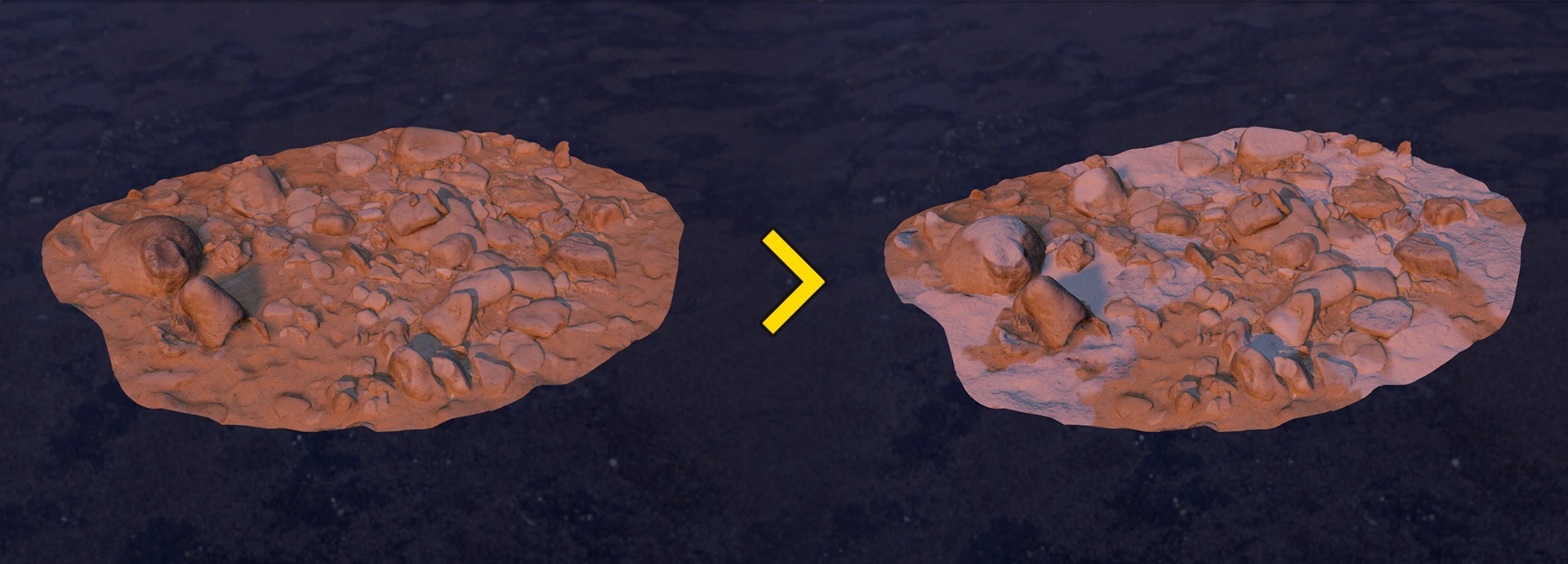
Step 4. Result
Step 1. Creating a Color Attribute
- In Blender, switch to Vertex Paint mode.
- Click the Attribute dropdown in the top header.
- Click the plus button on the right.
- Set the following parameters in the pop-up window:
- Name:
VertexPaintBlendParams - Domain: Face Corner
- Data Type: Byte Color
- Name:
- Click Add.
Step 2. Vertex Painting
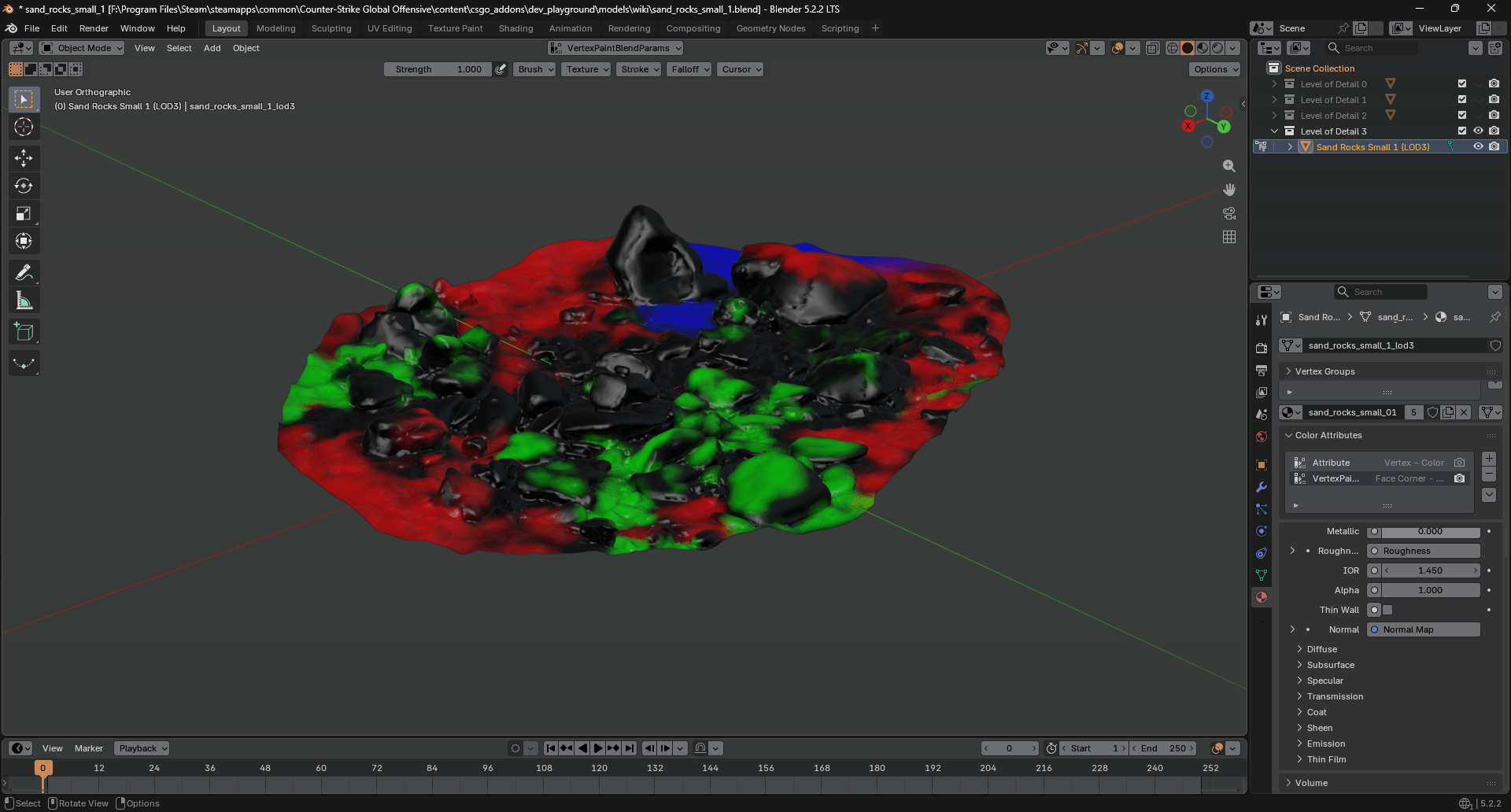
In Blender, switch to Vertex Paint mode and paint your model according to the  Dota 2 shader requirements below.
Multiblend
| Vertex Сolor | HEX | Layer in shader |
|---|---|---|
| Black | #000000 | Layer 0 |
| Red | #FF0000 | Layer 1 |
| Green | #00FF00 | Layer 2 |
| Blue | #0000FF | Layer 3 |
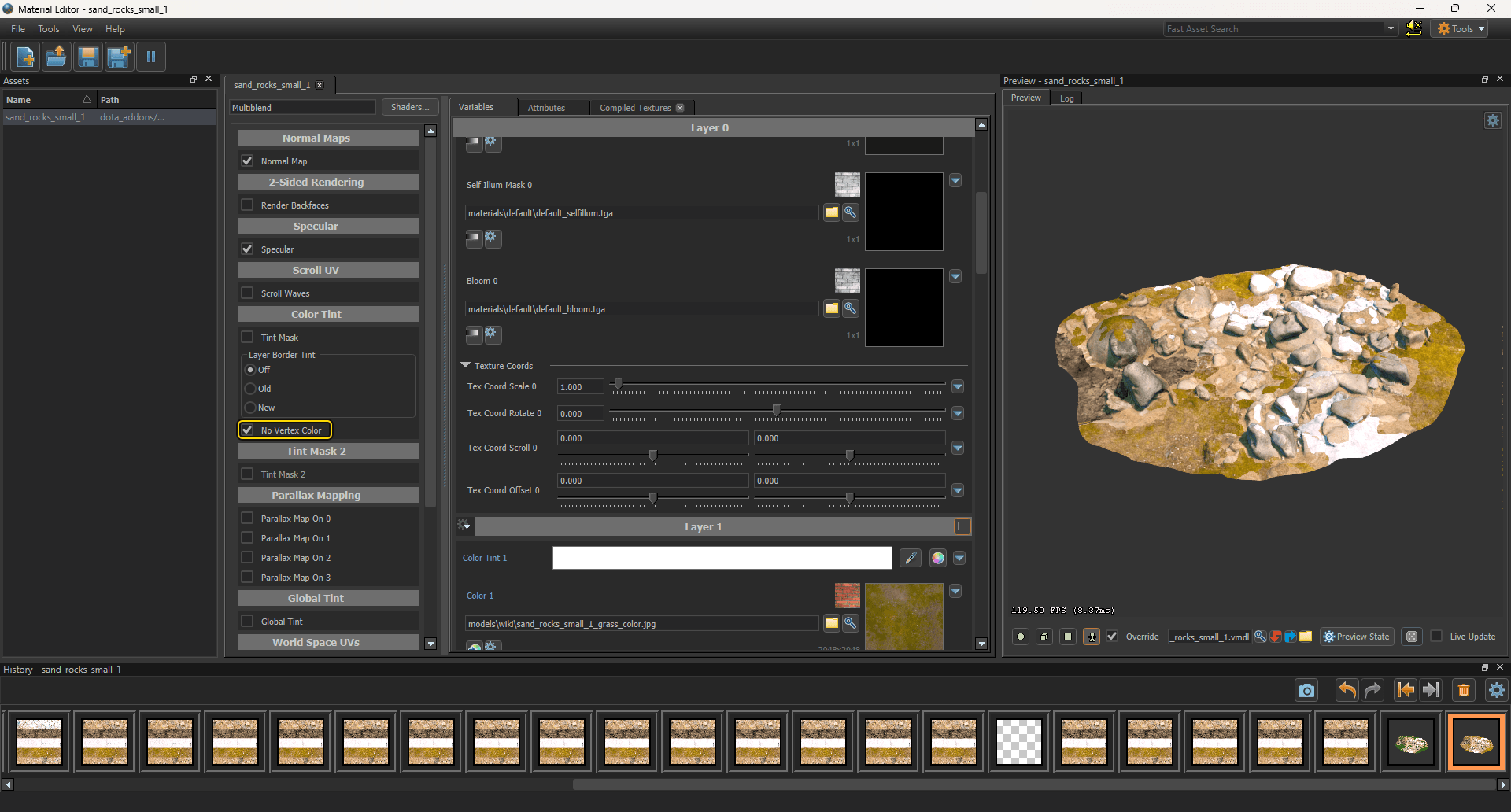
For correct vertex blending behavior, make sure to check the "No Vertex Color" checkbox in the shader options.
Step 3. Result